Accounting dashboard cards
journal name: Value
balance: Value
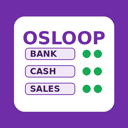
Choose which users can see each journal card on the Accounting Dashboard.
By default every user who can open the Accounting Dashboard sees all journal cards, including cash and bank journals that some staff should not see. This module adds a "Dashboard Visible To" field on each journal listing the users allowed to see its card. If the list is empty Odoo standard behaviour applies. Changes to the field are tracked in the journal chatter. It plugs into Accounting and lets managers limit dashboard exposure without changing accounting access rights.
Go to Accounting > Configuration > Journals and open the journal whose card you want to restrict. The new field is on the journal form. Only users with journal configuration rights can edit it.
Fill "Dashboard Visible To" with the users who should see the card. Users not on the list will not see it on the dashboard. Leaving it empty keeps the standard behaviour for all dashboard users.
Open the Accounting Dashboard as a listed and an unlisted user to confirm the card appears only for the allowed users. The restriction affects the card display, not accounting permissions.
Any change to the field is tracked in the journal chatter with user and date. Use it to review who changed the visibility. A verification report accompanies the module.
Illustrative mockups with placeholder data.
journal name: Value
balance: Value
journal name: Value
balance: Value
journal name: Value
balance: Value
| Role |
|---|
| Accounting manager |
| Accounting users (viewers) |
We can arrange a demo or a trial and answer your questions about Journal Dashboard Access.