350 apps
 Access ControlCustomer/vendor access and warehouse validation permissions by employee.
 Access Management StudioCentral rules per user group to hide menus, fields, buttons, actions and filters, or make users read-only.
 Access Restriction by IPLets an administrator allow each user to log in only from specific IP addresses.
 Access Restriction by IPAllow logins only from configured IP ranges.
 Activity Management DashboardA dashboard of all planned, done, today's and overdue activities with tags and types.
 Advanced Dynamic DashboardBuild configurable dashboards with tiles and charts.
 Advanced Property ManagementManage properties for sale, rent and auction.
 Advanced Sales ReportsPrint sales analysis, category, indent, invoice, profit and hourly reports in PDF and Excel.
 Advanced Web Domain WidgetSets relational field domains by picking records with in / not in operators.
 AgreementsManage agreements and templates.
 AI Chat Assistant IntegrationA Discuss channel and bot user that answer messages through an external AI language model.
 All In One HTML NotesRich HTML notes on sales, purchase, invoice and delivery documents.
 Allow or Block Negative-Stock SalesAdds a per-product flag that decides whether a sale order can be confirmed when stock is short.
 Analytic Accounts on Stock PickingCarry analytic distribution from stock moves into analytic lines on posting.
 Approval Notification PreferenceLet each user choose how approval notifications reach them.
 Approvals BaseRule-driven, multi-level approvals that can be attached to any supported model.
 Arabic Font PackApplies Arabic fonts to the backend and to the point of sale.
 Asset ManagementTrack assets, transfers, maintenance and depreciation.Attachment Delete RestrictionOnly a designated manager group may delete attachments or chatter messages, with an audit note.
 Attachments in PortalLet portal customers view and upload attachments on selected documents.
 Attachment Size LimitLimit upload size globally and per user with clear validation.
 Attendance Excel ReportExcel or PDF attendance report by employee or department.
 Attendance Gantt CompatibilityFixes the attendance Gantt crash caused by a missing core method.
 Attendance GeolocationCapture check-in and check-out location and notes with map links.
 Attendance XLSX ReportA wizard that exports employee attendance for a date range to an Excel file.
 Auto Invoice On DeliveryCreate, post and send the invoice when delivery is validated.
 Automatic Lock DateAutomatically moves the accounting lock date forward each day, keeping a set number of days open.
 Automatic PayrollGenerates payslip batches automatically on a chosen date each month.Auto Reconcile & Contra SettlementAllocate payments to open invoices automatically or in scheduled runs, and settle customer/vendor contra balances.
 Auto Save RestrictStops automatic saving of records in forms and lists.
 Auto Translate FieldsTranslate translatable fields into all languages in one click.Bank Reconciliation Manual OnlyBlock every automatic reconciliation path while keeping suggestions visible.Bank Suggestions Manual OnlyKeep bank suggestions but require manual validation.
 Base Order TypesProvides the base order type record (name, image, home delivery flag) used by the POS order type module.
 Basic Hospital ManagementPatients, physicians, prescriptions, lab tests and inpatient care.
 Bilingual Company WebsiteBilingual website pages, site identity, page packages and consultation requests.
 Biometric Device IntegrationConnects ZKTeco biometric devices to HR attendance.BioTime AttendanceSync attendance from BioTime server.Block Negative POS SalesBlock POS sales exceeding available stock.Block Negative SalesBlock sale order confirmation when stock is insufficient.Block Negative TransfersStop stock moves that would leave internal stock negative.
 Branch Cheque ManagementTrack outgoing branch cheques from sending to collection, return and disbursement.
 Budget ManagementBudgetary positions, budgets and lines linked to analytic accounts with planned vs practical tracking.
 Buy Now Pay Later GatewayInstallment payment provider with pre-scoring, capture, refund and webhook registration.
 Card Payment Gateway (Local Cards)Online card payment provider using a publishable and secret key with webhook confirmation.
 Cash Customer IdentitiesKeep one accounting cash customer while recording the real buyer name and phone on each sale and invoice.
 Certificate And License ExpiryTrack certificates and licenses with expiry alerts.
 Cheque Partner LedgerExtended partner statement including posted entries and draft cheque payments.Cheque Safe ReversalSafely reverse cheque payments and portfolios with linked references.
 Commission ManagementCalculates commissions for salespeople, teams and agents from sales, invoices or payments.
 Common Functions CoreCore helper module shared by other apps and auto-installed.Company Account StatementAutomatic customer or vendor statement with configurable product columns.
 Company SignatureCompany signature field.Conditional Stock BlockingBlock transfers, scraps and unbuilds when on-hand stock is insufficient, by company and operation type.Construction Contracting - Demo DataDemo-only module that seeds a complete contracting company scenario with 150 projects.
 Construction Contracting ManagementConstruction project cycle: tender, BOQ, budget, work orders, progress certificates, subcontracts, site control and cost control.Contact Account SummaryCustomer, vendor and net account summary on the contact form with links to invoices and overdue items.
 Create Bill Button on Purchase OrderAdds a Create Bill button to confirmed purchase orders that still have quantities to invoice.Credit LimitBlock and approve sale orders and invoices that exceed the partner credit limit.
 CRM DashboardVisual CRM dashboard of leads, targets and campaigns.
 Custom Browser Title and FaviconReplaces the default browser tab title and favicon with your own branding.
 Customer and Vendor FlagsMark contacts as customer, vendor, or both and filter them on documents.
 Customer and Vendor FlagsMark a partner as customer, vendor or both and keep ranks in sync.
 Customer and Vendor FlagsCustomer and vendor checkboxes on the partner form.Customer Debt ReportCustomer debt report with full, debit and credit balance filters.Customer Debt SummaryCustomer and vendor debt summary with last invoice, last payment and closing balance.
 Customer Product Sales HistoryShows previous sales of a product to a customer from the sales order line.
 Customize Login PageChoose login page layout and background from settings, with an image library.
 Custom Product Label PrintingDesign and print user-defined barcode labels for products.Dashboard RemindersSchedule automatic reminders on any record date field or missing field and follow them in a log.
 Debt StatementDebt statement report grouped by a custom debt name.Debt Statement ReportPrint a bilingual debt statement from selected journal items.
 Demo Auto LoginA public URL that logs visitors into a demo account.
 Detailed Party LedgerPartner ledger with net unit price, discount, taxes and running balance.
 Digital Signature On InvoiceCapture a signature on invoices and bills.
 Digital Signature On Purchase And InvoiceCapture signatures on purchase orders, invoices and bills.Disable Auto ReconcileTurns off automatic reconciliation in reconcile models.Disable Bank Auto MatchStops automatic matching of bank statement lines.Disable Quick CreateRemove the inline Create option from relational fields while keeping Create and edit.
 Disallow Negative StockBlocks stock operations that would make a storable product negative in an internal location.Document ApprovalConfigurable approval snapshots and optional processing gates on business documents.
 Duplicate Contact Details AlertBlocks duplicate contact details on partners based on a settings switch.
 Dynamic Custom FieldsCreate custom fields on any model without coding.Emergency Account Demo DataSample data for trying the emergency-account hiding on a test database.Emergency Security Account VisibilityPresent the reserved emergency account under a neutral identity and hide it from normal user discovery screens.
 Employee ChecklistTracks employee entry and exit document checklists with a progress percentage.
 Employee Checklist (Onboarding Plans)Entry and exit checklists linked to onboarding and offboarding activity plans.
 Employee Contract TypesAdds a contract type to employee contracts.
 Employee DocumentsStores employee documents with issue and expiry dates and reminder notifications.
 Employee Documents (Types and Templates)Employee documents with types, templates, expiry date and notification options.
 Employee Late Check-inDetects late attendance, creates approval records and deducts salary through payslips.Employee Ledger AccountsPer-employee custody, advance-salary and loan accounts wired into payroll.Excel Export With ImagesAdds image support to the standard export feature.Expense Serial & ReceiptEmployee-prefixed serial numbers on expenses with a printable expense receipt.
 Expenses ReportArabic PDF report of cash and bank outgoing payments.
 Expired Quotation CleanupCancels expired sales quotations automatically with a scheduled action.Export Product ImagesExport product, variant and eCommerce images into a ZIP with an Excel index.
 Export Records with Images to ExcelExport records together with their images into Excel files.
 Export View to PDFAdds an Export PDF option to list views with field selection and grouped output.Export With ImagesAdds image export to the standard Odoo export feature.
 Extra Social MediaWebsite snippet for extra social links.Fast Invoice & ReturnFast sales/purchase invoicing and quick returns for linked documents.
 Field Time PickerA time picker widget for Char fields using a third-party time picker library.
 Financial CommitmentsTrack loans, instalments and other commitments with schedules, accrual entries, payments, alerts and a dashboard.Fold All Groups ButtonAdds Fold All / Unfold All to grouped list views.
 Fuel Executive DashboardRead-only executive dashboards for station, cash and bank balances.
 Fuel Station ManagementFuel station shifts, nozzle meters, tanks, daily closings, calibration and cash control.
 Fuel Station Worker ScreenDedicated Arabic screen for station workers to enter unapproved daily shifts.
 GeoLocation Map WidgetA map field widget to pin a location and retrieve its address.Geo Location & Smart QRAuto geolocation on maps and a configurable smart QR on documents.
 Hide Action ButtonsHides Create, Edit, Import, Export, Print, Delete and Duplicate buttons per user group.
 Hide Menu per UserHides selected menus from specific users, from the user form or the menu form.
 Hide Menus Per UserHide chosen menu items from specific users.
 Hide Powered By FooterHides or customises the powered-by footer message with rich HTML text.
 Hide Powered By TextRemoves the powered-by link and shows a database manager link on the login page.
 Hide Product PriceHides cost and sales prices from users who are not in the show-price groups.
 Home DashboardHome dashboard with instant search, quick buttons, KPI cards and charts.
 Hospital ManagementPatients, doctors, wards, laboratory, pharmacy and vaccinations.
 Hospital ManagementManages patients, doctors, labs, inpatients and hospital infrastructure with dashboards.
 Hotel ManagementRooms, folios, services, food, events, vehicles, cleaning and maintenance with invoicing.
 Hotel Management SystemRoom types, rooms, bookings with check-in and check-out, and sales orders.
 HR Attendance DashboardAttendance and leave dashboard with a printable report.
 HR DashboardSelf-service My HR dashboard and a manager HR Overview.
 HR DisciplineAttendance-driven violations with legally capped payroll deductions.
 HR PayrollSalary structures, rules, payslips, batches and payroll reports for the community edition.
 HR RemindersConfigurable HR reminders on any date field with a topbar reminder menu.
 HR Schedules & SetupMENA working schedules including night shifts that cross midnight.
 HR SuiteOne-click install of the complete HR stack.
 HTML Notes on DocumentsRich default notes on sales, purchase, delivery and invoice documents.
 Import Picking From Excel or CSVImports stock pickings with or without lot and serial numbers from a file.
 Import Picking with Lot/Serial from Excel or CSVImports receipts, deliveries and transfers, with or without lot and serial numbers, from an XLS or CSV file.
 Import Picking with Lot/Serial from Excel or CSVImports receipts, deliveries and transfers, with or without lot and serial numbers, from an XLS or CSV file.
 Import & ProcurementImport files, shipments, trade finance, customs and landed costs.
 Incoming Cheque ManagementFull lifecycle of received cheques: portfolio, collection, endorsement, return and reporting.
 Intercompany Journal MirrorMirror journal entries between companies with configurable rules, review and approval.
 Internal MaintenanceInternal maintenance orders for vehicles and equipment with parts, external services, costs and oil-change reports.
 Inventory Insights and Dead Stock AnalyticsRead-only inventory analysis snapshots for dead stock, movement classes, coverage, ABC/XYZ and lot expiry, with reviewed decisions.
 Inventory Move Mini DashboardA summary dashboard above the stock move and transfer lists.Inventory Stock LedgerStock ledger report by product, location and period with in, out and running balance.
 Invoice Format EditorChoose and customise invoice layouts, colours and visible fields.
 Invoice Multi-Level ApprovalConfigurable approvers for customer invoices, vendor bills and credit notes.Invoice Shortcuts in Sales and PurchaseDirect shortcuts to customer invoices in Sales and vendor bills in Purchase, for users who have invoicing rights.IP LimitationLimit user connections to allowed IP addresses.IP LimitationKeeps a list of allowed IP addresses and links it to each user.
 Islamic AssistantPrayer times and azkar.
 Journal Dashboard AccessChoose which users can see each journal card on the Accounting Dashboard.Journal Entry Custom FieldsAdd a note to journal entries and a sales revenue classification to entry lines.Journal Entry ReportA custom printable PDF layout for journal entries.Journal Record RulesLimits which users can see each accounting journal.
 Kuwait PayrollKuwait payroll and end-of-service rules per Labour Law 6/2010.
 Label DesignerVisual product and packaging label designer with controlled printing.Last Sales / Purchase PriceShows the partner's previous unit price and its date on each sale and purchase order line.
 Laundry ManagementLaundry orders, washing works, returns and invoicing in one workflow.
 Law Firm ManagementLawyers, cases, hearings, documents and case reports for a law office.
 Leave Balance ReportA report of allocated, taken and remaining leave per employee and leave type.
 Leave Multi-Level ApprovalMultiple sequential or parallel approvers for time-off requests per leave type.
 Legal AgreementsManage agreements, LOI and contracts.
 Legal Case DashboardInteractive dashboard with cards and charts summarising legal cases.
 Legal Case DashboardOverview dashboard with filters for the legal case management module.
 Legal Case ManagementCase registration, evidence, trials, court master data, payments and PDF reports.
 Legal Case ManagementRegister legal cases with evidence, trials, sittings, invoicing and reports.
 Line Fixed DiscountPercentage, fixed per line and fixed per unit discounts on sales, purchases, invoices and bills.
 Login Page Background ImageSets a background image on the login page from the company form.
 Login Page StylesCustomize the login page layout and background.
 Mail Management ClientA mail-client style screen for outgoing mail with stars, archive, retry and compose.Maintenance Workshop - Demo DataSeeds a complete demo scenario for the maintenance workshop module: workshops, vehicles, contracts and 150+ work orders.
 Maintenance Workshop ManagementEnd-to-end workshop and vehicle maintenance: work orders, contracts, parts, warranty, external services and profitability.
 Mandatory Field HighlightColours required fields with settings-defined colours.
 Mass Clear DataDeletes transactional data in bulk through a wizard, restricted to a dedicated group.
 Mass MigrationChunked background import/export of millions of rows with per-row error isolation.
 MENA Overtime EngineOvertime work entry types and country rulesets, with midnight-crossing shift fixes.
 Minutes of MeetingsRecord agenda, conclusions and actions on calendar events and print or email the minutes.
 Model Signature BaseReusable signature field for other models.
 Monthly Attendance SheetMonthly per-employee sheet of lateness, overtime, absence and leave, approved before payroll.
 Moroccan Tax IdentifiersAdds Moroccan tax and legal identifiers to companies and partners.
 Multi Branch OperationsAdds branches under a company and stamps them on sales, purchases, stock and accounting records.
 Multi-level Leave ApprovalAdds a chain of validators to leave types and tracks each approver decision.
 Multi-Level Purchase ApprovalsApproval flow for quotations, vendor bills and payments.
 Multi-User Activity SchedulingSchedule one activity for several users at once.
 Multi-Warehouse Sale Order LinesChoose a warehouse per sale line and split deliveries by warehouse.
 Multi-Word SearchSearch with separate word fragments in the backend with safe, configurable controls.Negative Quantity Sale GroupBase security group that allows negative-quantity sales.Negative Stock ControlPrevent negative stock at delivery and optionally at order confirmation.
 Notification SoundPlay a sound when a new notification arrives, per user choice.
 Notification SoundPlays an audible alert when a new notification reaches the user in the web client.Notify by Email and InboxAdds a user preference that delivers notifications both by email and in the Odoo inbox.
 Odoo Customize and BoostAll-in-one tweaks for UI, security, data reset and debugging.OSLOOP AccountingTreasury transfers between cash and bank, settlement journal entries, and treasury approval of payments.
 Page BuilderImport, validate, export and theme bilingual website pages from page packages.Partner Balance on InvoiceShow the partner balance before and after the invoice on the invoice form.
 Password Reset ManagerLets users reset a password directly from the login page, including with a master password.
 Payment ApprovalsAdds an approval step to customer and vendor payments above a set amount.
 Payment Gateway ProviderAccept online payments through the gateway gateway.Payment Hold on Partner AccountPayments post to an intermediate account until collection or bank match.Payment MenusCustomer payments under Sales and vendor payments under Purchase.
 Payment Partner BalanceShows the partner's net balance directly on the payment form.
 Payment Transfer ExtensionTransfer type, beneficiary bank accounts and a bilingual payment voucher.
 PayrollManages payroll: structures, salary rules, payslips and batches.
 PDF Report DesignerBuilds custom PDF reports for any model by picking fields, dates and optional print actions.
 PDF Report Password ProtectionEncrypts a PDF report with a password set on the report action.
 PDF Report WatermarkPrints a text or logo watermark on all company reports with configurable colour, size and angle.Pending PaymentsDefer a payment's effect on the partner account until it is collected or matched with the bank.
 Personal OrganiserPersonal notes, tasks, calendar and contacts in one sidebar workspace.
 Personal OrganiserA web client screen for personal notes, dated tasks and contacts linked to the calendar.Picking Barcode Scanner and Serial UploadScans products on a picking and uploads serial numbers from Excel to print a barcode receipt.
 Point of Sale Logo per ShopSets a distinct logo for each point of sale on the screen header and on the receipt.
 Portal DashboardA dashboard on the customer portal home with recent orders, invoices, projects and a chart.Portal LockdownMake the customer portal strictly read-only, except chatter and password change.Portal Partner LedgerCustomers and vendors read their own account statement from the portal.
 POS Analytic AccountSets an analytic account on POS orders, sessions and journal entries.
 POS Analytic AccountSets an analytic account on POS shops and posts it on the sales and stock journal entries.
 POS Auto Invoice and No Auto PrintTicks the invoice option automatically on POS orders and can stop the invoice from printing itself.
 POS Booking OrdersCreate pickup or delivery booked orders from a POS session, with customer, dates and confirmation.
 POS Cashier SelectPrompts the cashier to be selected when the payment button is clicked.
 POS Category-wise ReceiptGroups the lines of the POS receipt under product category headings.POS Closing Report CustomizationCustomises the POS sales details report used at closing with session and cash balance details.POS Credit LimitBlock POS credit payments once a customer reaches the credit limit.
 POS Customer Image And TagsShows customer images and tags in the POS customer list.
 POS DashboardAdds a dashboard under the POS reporting menu with key figures and top lists.
 POS Direct LoginSends a cashier straight into the point of sale session right after logging in.POS Discount AmountAdds a fixed-amount discount button to the Point of Sale using a dedicated discount product.
 POS Discount Manager ApprovalSet a discount limit per employee and require a manager PIN when it is exceeded.
 POS Employee PricelistsRestrict which pricelists each POS cashier is allowed to select.POS Hide InvoicingHide the Invoice option per POS configuration.
 POS Hide Product InfoHides the product info button on the POS product screen for shops that do not want it.
 POS Hide Refund ButtonHides the refund button in the POS, with an exception option for managers.
 POS Home Delivery OrdersCreates home delivery orders from the POS, tracks their status and takes payment after delivery.
 POS Inventory AdjustmentLets staff count products on the POS screen and create inventory adjustments from it.
 POS Order Line SearchSearch for a product inside the current POS order lines.POS Order Line VoidingLets authorised cashiers void order lines with a reason, generating a stock movement and a void report.POS Orders DomainLet a shop see all paid POS orders instead of only its own.
 POS Order TypesAdds order types such as delivery, take away and parcel to the POS.
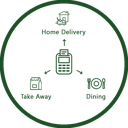 POS Order TypesLets cashiers pick an order type on the POS screen, prints it on the receipt and records it on the order.
 POS Payment ReferenceRecord a manual payment reference on POS payments and see it on the order.
 POS Predefined and Custom DiscountsOffer predefined discount percentages and custom discounts directly from the POS screen.
 POS Product Quick InfoShows product information with one click on the POS product tile.
 POS Receipt DesignDesign custom POS receipts.
 POS Receipt DesignSelects a customised receipt layout for each POS.POS Receipt Footer ControlChange the receipt footer text from the POS settings.
 POS Refund PasswordRequire a security code before any refund in the POS.
 POS Refund PasswordAsks for a numeric password before a POS refund can be processed.
 POS Restrict Zero QuantityBlocks POS sales of products with zero or negative stock.
 POS Return by BarcodeReturn products by scanning the barcode printed on the sales receipt.
 POS Return ReasonRecords a reason when returning a POS order, optionally compulsory and printed on the receipt.
 POS SalespersonAssigns a salesperson to POS order lines from the POS interface.
 POS Sales Report by CategoryGroups the POS sales details report by product category with reference, product and quantity.
 POS Session Z ReportPrints the session Z report from the POS front end and back end.
 POS Session Z Report (Thermal)Prints a session summary (Z report) from the POS screen on a thermal printer.
 POS Spa and Salon ManagementAppointment booking, appointee teams and shifts inside the Point of Sale.
 POS Stock InformationShows on-hand and forecasted stock quantities on the POS product tiles.
 POS Time Based ProductsSell time-based products and manage rooms in POS.
 POS Time Based Products PlusTime-based POS products, rooms and numeric customer codes.
 POS User RestrictionLimits each POS user to the shops and orders they are allowed to see.Pre-System ReturnsDirect customer and vendor returns of goods sold or bought before the system, with priced return invoices.Previous Sale PriceShow the last sale of a product to the same customer, with date, price and order reference.Previous Sale Price on Order LinesShows the last sale price, date and order reference of each product for the same customer.Price List ReportPrint a product price list for wholesale or retail.Printable View SettingsOpen or print reports directly in the browser without downloading a PDF.
 Print ContactsPrint contact records in three PDF layouts from the contact form.Print StudioOne advanced print dialog for quotations, invoices, purchase orders and delivery slips, with sharing.
 Product ApprovalApproval workflow before products can be used in orders.
 Product ApprovalControl product creation with a Draft/Confirmed approval state before products can be sold.
 Product Barcode GeneratorAutomatically gives new products a valid EAN13 barcode.
 Product Image On Sale Order LineDisplays and prints the product image on sale order lines.
 Product ManagementA product app with a dashboard of top sales and purchases plus stock movement menus.
 Product Price EditorEdit wholesale, retail and third prices inline with purchase order integration.
 Product RTL DisplayShow product names and codes correctly in right-to-left screens and printed reports.Product Search FieldsAdds an Arabic name and an extra reference to product search.Product Stock Status BadgeA reorder-point stock status badge and a per-warehouse on-hand breakdown on products.
 Project DashboardA dashboard of project, task, employee, hours, profitability and sale-order figures with date filters.
 Property Rent AccountingBuildings, units, rent contracts, monthly rent invoices and cost distribution.Purchase DiscountLine and global discounts on purchase orders that flow to vendor bills and stock valuation.
 Purchase Dynamic ApprovalAmount-based approval routes and purchase teams for purchase orders.
 Purchase Filter CategoriesFilter purchase orders by dynamic categories with a popup, group access and an optional password.Purchase Order DiscountA Discount button on purchase orders with percentage, global and fixed-amount options.Purchase Order Line ImageAdds the product image to the purchase order report.
 Purchase RequestEmployee purchase requisitions with two-step approval and conversion to purchase orders.
 Qatar PayrollQatar payroll and end-of-service rules per Labour Law 14/2004.
 Quotation Auto-CancelCron cancelling expired sales quotations.
 Real Estate ManagementManage properties, sales, leases, tenants and agents.Record Rules BaseAdds visibility limits to search and grouped reads.
 Regional Checkout Payment GatewayRedirect-based payment provider using a secret and a publishable key for hosted checkout sessions.
 Regional Online Payment ProviderAccept online payments at checkout through a regional payment gateway.
 Remove Order Line in POSRemove a single order line with an X button or clear the whole cart in one click.
 Remove Powered by OdooRemove the vendor branding from the login page, portal and website footer.
 Remove Studio FieldsDelete custom fields created with Studio through a simple wizard.Repair and Spare PartsRepair orders with spare parts, stock consumption and invoicing.
 Report Header and Footer ImagesCompany images and layouts for the report header, footer and body background.
 Restrict Auto SaveStop forms and lists from saving automatically and guard sale order confirmation.
 Restrict Form AutosaveAsk the user before saving when leaving a modified form.Retention and Advance PaymentApply retention and down payment percentages on invoices using partner specific accounts.Retention ProductsData module that installs the Retention and Downpayment products.Sale Order Line ImageAdds the product image to the sale order report.
 Sales Access ControlControl who can edit sales prices and who can view cost and margin.
 Sales and Purchase History SuiteShows customer order history, vendor order history and product sale and purchase price history with reorder.
 Sales History Of ProductsShows the last sale prices of a product directly on the sales order line.Sales Order Lock on DeliveryLock a sales order automatically once a customer delivery has been validated.
 Salesperson CommissionCalculates a salesperson's commission on sales and adds it to the basic salary.
 Schedule Activity ManagementManage, track and report on scheduled activities.
 Schedule Activity to Multiple UsersSchedule one activity for several users at once.
 Scheduled Action ShortcutRun scheduled actions directly from the systray.
 Scheduled Action ShortcutRun selected scheduled actions from the systray.
 School AttendanceDaily and monthly student attendance with leave requests and reports.
 School ManagementManage students, parents, teachers, classes, academic years and identity cards.Screen Capture HarnessA technical test module that captures real screenshots of the transport screens on an anonymised demo database.Secure LettersIssue official letters and certificates with a serial number, secure QR link and controlled validity.
 Secure QR CoreTokenised, password-protected QR links with a public verification page, an access log, brute-force protection and a dashboard.Secure QR on Business DocumentsAdd a secure verification QR and link to invoices, bills, delivery orders, receipts, sales and purchase orders.Secure Shared FilesShare a file with named recipients through a protected link and QR card with password, expiry and view limits.Set Quantity to DemandA Set Quantity button on transfers that fills the done quantity from the demand.
 Show Images in ExcelExports images into Excel cells instead of Base64 text.
 Smart AlertsShow conditional alerts on any model form.
 Sticky NotesQuick personal notes from the systray.
 Sticky NotesQuick note-taking from the systray with a Notes menu.
 Sticky Notes on Any RecordDraggable colored sticky notes attached to any record.Stock Aging ReportAnalyse stock quantities and values by age bucket.
 Stock Analytic DistributionAnalytic distribution on stock moves, pickings and scraps.Stock Balance Before and AfterStore the on-hand balance before and after each stock operation and show it on sales order lines.
 Stock Card & Invoice Movement CardWarehouse stock card plus invoice-based product and partner card in PDF, Excel and screen views.
 Stock Quantity ControlBlock validation of a transfer when the processed quantity is higher than the demand.
 Time WidgetTime picker widget for character fields.
 Time WidgetA time input widget for character fields.
 Toolkit Account ConnectionConnect an external toolkit account to this Odoo instance.
 Translated Terms ScreenThe classic Translated Terms screen, rebuilt for Odoo 19: search, edit inline and replace a word everywhere.Transport Demo DataA full Arabic demo scenario for the transport module: master data, trips, treasury, brokers and settlements.
 Transport ManagementTransport dispatch, trips, pricing, settlement, treasury, driver custody, reports and a dashboard.
 Transport ManagementDaily transport log, trip expenses, driver payroll and loans.
 Transport QuotationsManage quotations for transporting petroleum materials.
 UAE Dirham SymbolUpdates the AED currency symbol and its position before the amount.
 Unified OperationOne simplified operation screen over Purchase, Inventory and Accounting with staged approvals.Universal Report ShareShare any Odoo report as a PDF through the device share sheet or a tokenised link.User Switcher and AuditLet authorised administrators switch to another user's session and return, with a full audit log.
 Vehicle WorkshopWork orders, stations, follow-up, contracts and equipment custody for a vehicle workshop.Vehicle Workshop Demo DataArabic sample data to try the vehicle workshop.
 Vendor PortalRequest quotations from vendors on the portal and pick the best.
 Vendor Purchase DiscountAdds a default discount per vendor and per vendor price line and applies it on purchase order lines.
 Video Meeting IntegrationCreates online video meetings from Odoo calendar events with authenticated company credentials.
 Voice and Sound AlertsPlay sound or spoken alerts to users.Warehouse and Location Display NamesShow the warehouse code and name together, and a clearer complete location name, across Inventory.Warehouse Record RulesRestrict inventory records to users allowed per warehouse.
 Web Notifications LitePop-up and breaking-news notifications.
 Web NotifySend toast notifications to users from code.
 Website Cash on DeliveryOffer COD at website checkout with limits, fees, area rules and collection tracking.Website Contact OnlyHide shop prices and replace Add to Cart with a Contact Us button.
 Website Footer Branding ControlHide or replace the Powered by footer message with custom rich text.
 Website WhatsApp IconFloating chat icon on website pages.
 WhatsApp ConnectorSend WhatsApp messages and emails from Odoo records and share portal links.
 WhatsApp MessageSend WhatsApp messages from a partner.ZATCA Decimal FixSend ZATCA amounts with at most two decimals while keeping internal precision.
 ZK Biometric AttendancePull attendance punches from ZKTeco devices over LAN.