46 apps — Point of Sale
 Base Order TypesProvides the base order type record (name, image, home delivery flag) used by the POS order type module.
 Block Negative POS SalesBlock POS sales exceeding available stock.
 Point of Sale Logo per ShopSets a distinct logo for each point of sale on the screen header and on the receipt.
 POS Analytic AccountSets an analytic account on POS orders, sessions and journal entries.
 POS Auto Invoice and No Auto PrintTicks the invoice option automatically on POS orders and can stop the invoice from printing itself.
 POS Booking OrdersCreate pickup or delivery booked orders from a POS session, with customer, dates and confirmation.
 POS Cashier SelectPrompts the cashier to be selected when the payment button is clicked.
 POS Category-wise ReceiptGroups the lines of the POS receipt under product category headings.POS Closing Report CustomizationCustomises the POS sales details report used at closing with session and cash balance details.POS Credit LimitBlock POS credit payments once a customer reaches the credit limit.
 POS Customer Image And TagsShows customer images and tags in the POS customer list.
 POS DashboardAdds a dashboard under the POS reporting menu with key figures and top lists.
 POS Direct LoginSends a cashier straight into the point of sale session right after logging in.POS Discount AmountAdds a fixed-amount discount button to the Point of Sale using a dedicated discount product.
 POS Discount Manager ApprovalSet a discount limit per employee and require a manager PIN when it is exceeded.
 POS Employee PricelistsRestrict which pricelists each POS cashier is allowed to select.POS Hide InvoicingHide the Invoice option per POS configuration.
 POS Hide Product InfoHides the product info button on the POS product screen for shops that do not want it.
 POS Hide Refund ButtonHides the refund button in the POS, with an exception option for managers.
 POS Home Delivery OrdersCreates home delivery orders from the POS, tracks their status and takes payment after delivery.
 POS Order Line SearchSearch for a product inside the current POS order lines.POS Order Line VoidingLets authorised cashiers void order lines with a reason, generating a stock movement and a void report.POS Orders DomainLet a shop see all paid POS orders instead of only its own.
 POS Order TypesAdds order types such as delivery, take away and parcel to the POS.
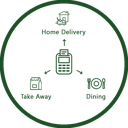 POS Order TypesLets cashiers pick an order type on the POS screen, prints it on the receipt and records it on the order.
 POS Payment ReferenceRecord a manual payment reference on POS payments and see it on the order.
 POS Predefined and Custom DiscountsOffer predefined discount percentages and custom discounts directly from the POS screen.
 POS Product Quick InfoShows product information with one click on the POS product tile.
 POS Receipt DesignDesign custom POS receipts.
 POS Receipt DesignSelects a customised receipt layout for each POS.POS Receipt Footer ControlChange the receipt footer text from the POS settings.
 POS Refund PasswordRequire a security code before any refund in the POS.
 POS Refund PasswordAsks for a numeric password before a POS refund can be processed.
 POS Restrict Zero QuantityBlocks POS sales of products with zero or negative stock.
 POS Return by BarcodeReturn products by scanning the barcode printed on the sales receipt.
 POS Return ReasonRecords a reason when returning a POS order, optionally compulsory and printed on the receipt.
 POS SalespersonAssigns a salesperson to POS order lines from the POS interface.
 POS Sales Report by CategoryGroups the POS sales details report by product category with reference, product and quantity.
 POS Session Z ReportPrints the session Z report from the POS front end and back end.
 POS Session Z Report (Thermal)Prints a session summary (Z report) from the POS screen on a thermal printer.
 POS Spa and Salon ManagementAppointment booking, appointee teams and shifts inside the Point of Sale.
 POS Stock InformationShows on-hand and forecasted stock quantities on the POS product tiles.
 POS Time Based ProductsSell time-based products and manage rooms in POS.
 POS Time Based Products PlusTime-based POS products, rooms and numeric customer codes.
 POS User RestrictionLimits each POS user to the shops and orders they are allowed to see.
 Remove Order Line in POSRemove a single order line with an X button or clear the whole cart in one click.